Setting up a high school recording studio

On workshops I’m often asked to give an opinion about a certain piece of recording or live PA equipment.  There is so much choice at so many price points that it can be really hard to figure out what is best for your school and your students.

If you’re reasonably comfortable in the world of music technology then my advice would be to read lots of reviews from websites like Sound on Sound, visit other schools, visit studios and talk to a range of sales people in a range of shops.  Never take just one person’s advice (including my own!).

The more you become informed of the options the better position you’ll be in to make smart purchases.

If you’re not overly confident with the world of music technology and just want someone to tell you what to do, here is my advice based on what I’ve found what has worked for me…

Microphones

  • 3 or 4 Shure SM57‘s – the industry standard mic for recording guitar amps, snare drums (as well as tom’s) and can also work great for loud brass instruments.  The most important thing about them for a high school situation is that they’re pretty much indestructible (well, I’ve never had one break on me despite some rough treatment).  If you can only afford a couple of mic’s – just get a pair of these, they even work well on vocals (although you might like to consider an SM58 for these).
  • AT4050 Condenser mic – it’s good to have one good quality condenser mic for recording voice, solo acoustic instruments, etc.  Get a pair of them and you can make great stereo recordings of choirs and orchestras.  There are many comparable condenser microphones from other manufacturers (AKG 414’s are a popular choice) but I love my AT-4050’s.
  • A pair of Neumann KM184‘s – great for over the top of drums, grand pianos, violins, recording ensembles, etc

Recording Interface

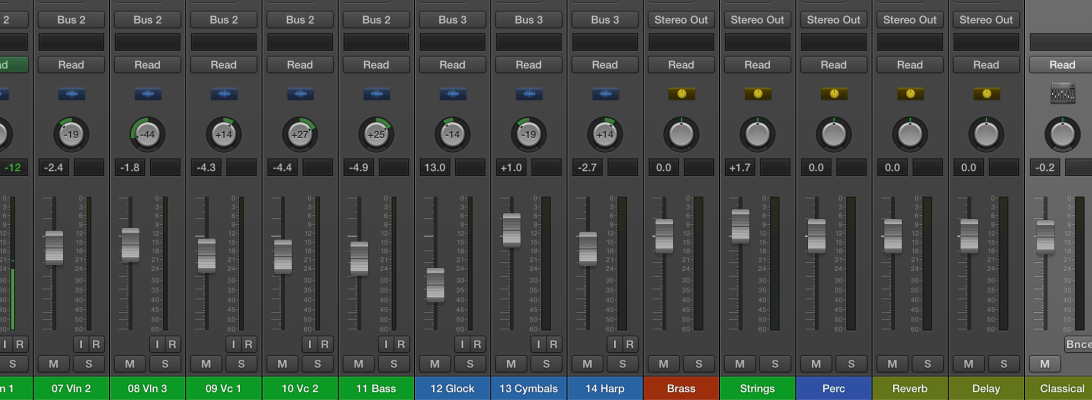
There are a huge range of interfaces available now.  If you want one that can double as a mixing desk for a live PA system then I’ve found the Presonus Studio Live desks excellent.  I’m particularly fascinated with their new RM mixer series which only has mic inputs and is controlled from an iPad or touch screen computer.

However, if you want something more ‘pro’ in terms of the preamps and analogue-to-digital conversion (i.e. better sound) then my pick would be the newly updated Apogee Ensemble.  I have the older Ensemble and it’s fantastic (for my studio I also use the Symphony but that is probably out of the budget range of most high school departments).

https://www.youtube.com/watch?v=rM7eLk3ZY1U

Recording software

See my previous posts here and here where I discuss what is the best Digital Audio Workstation (DAW) for high schools.

Speakers/Studio Monitors

In the past I’ve had Tannoy Reveal’s, Behringer Truth’s and Mackie HR824’s.  But I’ve never really been happy with any of them. Don’t get me wrong, for a high school situation they’re fine.  They were durable and gave a big sound.  But all of them suffered from not being overly ‘even’ across the frequency range – usually too bassy.

So I consider myself very fortunate to now have Focal SM9‘s, but these cost crazy money.

But… based on reviews I’ve read recently I’d say some of the best monitors at reasonable prices would have to be the Presonus Sceptre’s or any of the mid-priced options from Focal, Adam, KRK or JBL.

IMG_0778

Of course you’ll also need things like cables, mic stands, speaker stands so don’t forget to allow budget for those.

Where do I purchase all this from?  Well, I like to support local stores but online the best website I come back to time and again is Sweetwater.com.  Their service has been faultless.  The other store that has given me great service and good educational discounts is Vintage King (if you ever get the change to visit their LA store make sure you do, it’s amazing).

Audio equipment preferences can be very personal so I do encourage you to do your research.  Don’t get too hung up on reading forums like Gearslutz (too many contrary opinions there!).  The best thing to do is to find other schools that are into music technology and visit them to find out what works.

How to mix… a guide for high school teachers – part two

In my last blog post I demonstrated a good starting point for teaching students how to mix.

After six weeks or so of having my students mixing using only faders, panning and EQ (on a few projects) I then start to discuss the overall picture of the mix process.  Advanced students would be required to purchase the excellent Mike Senior book on mixing on Kindle in addition to reading other articles online and visiting blog posts like soundscoop (and a multitude of others).

Many recording equipment manufacturers like Universal Audio, AVID, Presonus and many others also offer excellent mixing tutorials and students are encouraged to complete as many of these as possible.  However, while we all have some motivated and diligent students, we’re always going to have several that need a little more ‘spoon-feeding’ (which of course we always try to ‘wean’ them off as good parents/teachers should!).  It would be great if all students went to these websites and started teaching themselves (which undoubtedly some students will) but for others I’ve done a few guides that may help.

NZ Music Technology teachers will be familiar with my resources from http://www.learningideas.co.nz and these are excellent guides specifically tailored to the NZQA assessment system.  A resource I wrote several years ago (which was hugely influenced by the excellent book The Mixing Engineers Handbook by Bobby Owsinski from Mix Books) which I gave away free to NZ teachers can be downloaded here. It basically goes through the stages of mixing and can be summed up like this (but keep in mind there is no one way to mix as every mix and mixing engineer is different – but this is good for newbies):

  1. Balance the faders
  2. Pan the tracks to create a stereo image (although some engineers, particularly if mixing for a live PA system will choose to mix in mono for various reasons)
  3. Use EQ to give each instrument it’s own space in the overall frequency range of the track.  You can think of it like this:
    Screen Shot 2015-01-10 at 9.32.40 am
    (I got this image off the http://www.harmonycentral.com website many years ago and have not been able to find the page for it again so sorry I’m unable to give proper credit to the person that created it).
  4. Use compression on some instruments to reduce the dynamic range to create a more stable volume balance between the instruments (but in many instances it’s more appropriate to use compression before EQ, or before and after, or use multiple compressors… it gets quite complicated really!)
  5. Add ambience with reverb and/or delay.  Note, it’s best to try and get this naturally by recording in a very nice room with good acoustics.  But if this isn’t possible then record the tracks as ‘dry’ as possible and add ambience in your DAW.
  6. Add interest.  All of the above just serves the purpose of making sure you can achieve a stable balance and hear everything.  But it may not make the mix very interesting.  So here you do whatever you need to make the mix dynamic, exciting, original – this is where you attempt to create a piece of great art!  I’ll try to do a blog post dedicated to this point in future weeks.

I’ve done a video for my students and NZ teachers who are teaching the level 2 27703  unit standard, showing how to do a basic mix in a live setting.  Here I’m using a Presonus Studio Live mixing desk and have the audio tracks streaming from my laptop to the mixing desk (rather than having a live band in the room).  I find this mixing desk a great tool for teaching live mixing to my students but all the concepts I discuss in the video are equally applicable to mixing in a studio/DAW environment.

This video has worked well for my students who may not have followed my in-class demos and may be too nervous to ask questions in front of others as they’re able to replay parts they don’t quite understand.  It serves a good way of filling in the gaps for them.

Please note, the tracks from this video were downloaded from the excellent Sound on Sound magazine website.

In another blog post I’ll go into detail about my assessment processes for mixing with my senior students.  Students can’t just do a mix – they have to be able to articulate all their mix decisions and why they made them.

Thanks,

Duncan
Effective teaching of composition

I was reading this really interesting blog the other day by Suzie Boss which looks at the research of the New Zealand education researcher and professor John Hattie and how his findings could influence Project Based Learning (this blog is well worth a read, follow the link).

There is a really interesting section of the blog:

But when it comes to evaluating the effectiveness of project-based learning (PBL), Hattie has me scratching my head. Part of the challenge is that he doesn’t focus specifically on PBL, and certainly not on PBL that is designed with an emphasis on high-quality teaching and learning. Problem-based learning winds up near the bottom of teaching effects (0.15). Inquiry-based teaching ranks a little higher (0.31), but still below the hinge point. Meanwhile, Piagetian programs, emphasizing challenges that cause learners to apply higher-order thinking and learn collaboratively (sounding similar, at least in spirit, to PBL) rank near the top (1.28).

What’s more, many of the essential components of PBL turn out to be highly effective. Formative assessment, critical for project success, comes in at 0.90. Feedback, another key to PBL, has an effect size of 0.73. Challenge and practice at the right level: 0.60. Valuing error and creating trust: 0.72. It’s hard to imagine a PBL classroom where those factors are not present.

When Hattie himself synthesizes what matters most for learning, he describes an effective classroom in language that is completely consistent with a PBL environment:

Visible teaching and learning occurs when there is deliberate practice aimed at attaining mastery of the goal, when there is feedback given and sought, and when there are active, passionate, and engaging people (teacher, students, peers) participating in the act of learning.

I imagine I’m probably like a lot of teachers (especially music teachers) in that every minute of every day is filled up with teaching, meetings, running co-curricular groups, developing resources, marking… (hands up if you’re one of those teachers to barely knows what the staff room looks like at lunchtime?).  The last thing I get time for is to look at educational theory, pedagogical techniques, etc.  Any PD I do is usually specifically musically related, rather than on a broader educational level.

So this is why I like summer holidays so much, it gives me time to look at blogs, read some Hattie, and reflect on my teaching practice.  Reading the above part of Suzie’s blog made me realise why I’m turning out to be such an effective teacher of musical composition.

I’m not trained in composition, I don’t like to compose myself, it isn’t something I was ever interested in doing as part of my study and I certainly don’t feel the need to inflict my deep angst on the world in a musical format.  But over the last five or so years my students have been showing a huge level of ‘value added’ with their results.  My good students who are passionate about composition produce great art, but I’m most pleased with those who maybe don’t have great background knowledge but end up showing a huge improvement.

Without intending to, I’ve employed many of the above methods quoted above, specifically:

  • A huge amount of formative assessment – when students have a composition due to hand in at the end of the term they must hand in their drafts at least three times over the preceding four weeks.
  • Feedback – every time students hand in a draft I give them written feedback via email and through annotating their scores (if applicable). I will try to follow this up with one-on-one verbal feedback but I find this is not very effective – too often students don’t take in what I say to them and repeat the same mistakes.  Written feedback provides them with the information that helps them make the most improvement in successive drafts and submissions.
  • Challenge and practice at the right level – even though I haven’t specifically intended to run a project based learning course (until 2015) I’ve kind of already been doing this with composition.  I provide the students many options for the basis of their composition (such as compose for film, compose for a special occasion, compose in response to an artwork, etc – and for each of these I provide multiple films, special occasions, artworks, etc).  What I find is that with these parameters students are able to jump into composing at the level they’re happy with.  I have some very advanced students who compose for full orchestra (one student this year composed a full two hour long musical – and it was really good!), some students are more comfortable composing for singer/songwriters while others compose electronic works with Apple Logic.  Everyone is working within their areas of interest and these then develop into strengths.
  • Valuing error and creating trust – this is very important to the creative process of composition.  And it features hugely in my feedback.  I try to find a balance between encouragement and correcting basic errors (mostly encouraging as composition is a very sensitive and emotionally ‘risky’ thing for students to do) but I always try to emphasise that they must ‘put themselves out there’ and take risks.  That is the only way great art will result.  This sums it up (thanks @ginippi for the image):
    10877618_10204176690032199_1572360879_n

The only other important thing that I do that isn’t mentioned (but there is probably a special Hattie term for it anyway) is modelling the creative process.  While I don’t compose great art, I do understand the compositional process and can model many ways of composing.  Showing students how to start is hugely important.  Giving them a toolbox based on practical demonstration works well.  Textbooks and handouts? – next to useless.

I’ve often felt that maybe I’m not doing a very good job with composition as I’m not presenting a formalised method each year that has me explaining concepts from the from of the class – i.e. chalk and talk.  But when I look at my NCEA results of my students and listen to their recordings I realise that isn’t the case.

As this is supposed to be a technology blog I’d better quickly mention how my students go about submitting their drafts for formative assessment.

  1. Students email me their Sibelius files (if their composition is a traditionally notation based composition) and provide a print out so I can annotate it (I used to do all printing or just write comments referencing bar numbers but I didn’t find this effective – plus printing takes up too much of my time).  If they are working on Logic or Studio One they can email me Dropbox links of their DAW session and bounced MP3’s.
  2. With the second to last draft submission I will ask students to do their own analysis of their composition.  They use Screenflow to ‘talk through’ their composition explaining why they have done what they’ve done.  As much as possible I encourage them to analyse within the context of the musical elements (timbre, form, texture, melody, harmony, etc).  By doing their own analysis of their composition its amazing how many things they’re able to fix up before I give them feedback.  This self-reflection is critical.
  3. I email back students comments and will annotate their scores if applicable.  This has to happen with 48 hours for effective learning to happen and to see a change in the draft that is due the following week.  Therefore I have to schedule into my timetable a period of marking each week and make sure nothing gets in the way of it.
  4. For the final submission I make sure I scan the annotated scores and keep a copy for internal and external moderation of my marking.  It’s really important students get their work back to help them improve for future years of study.

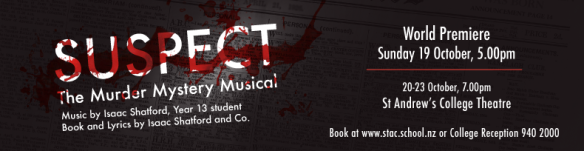
If you want to hear some of my students work, the musical I mentioned above (“Suspect”) is now available on iTunes.

suspect banner

The Seven Sharp programme from TV1 did a really interesting article that you can view by clicking here.

I know people may have suggestions for improvement around student submissions other than email & Dropbox (Moodle, Google Hangout, One Note, etc?) so please comment below if you think it can be done better.

Thanks,

Duncan 🙂