Project Based Learning in music – part 3

One thing I get asked a lot on courses I run is about how I structure my NCEA music classes.  If a typical NCEA subject consists of 22-24 credits some teachers are a little incredulous when they hear I offer 53 credits at level 2 and 64 credits at level 3.

The first thing I point out is that it’s not as bad as it sounds as students don’t take all those credits (although I have had one student that did… but he was a rare sort of student as he went on to get NZ’s top Music Scholarship mark in 2013) and even if they are taking around 38-44 credits, up to 16 of those credits could be performance ‘standards’, which we don’t spend any class time on (they do all their learning for this with their instrumental teacher and assessment takes place in concerts).

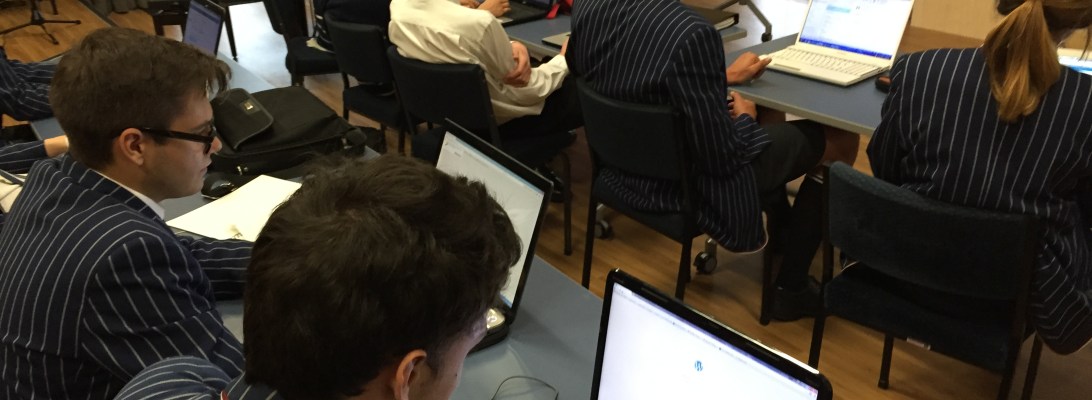
However, with the majority of my year 13 students doing Project Based Learning this year the whole NCEA credit thing and course structure has become a little more complicated.  In some ways it’s not… in that they’ve chosen the sort of project they want to do (such making an album, or composing for film projects produced by the Year 13 Media/Film class) and the available NCEA Standards should take care of themselves.  But with a dozen or so students all doing different projects, assessment within the NCEA structure can be hard to keep on top of and regularly fills my sleepless nights with worry!

I’ve got one student who as a result of her student leadership position in the school is struggling to keep on top of her workload.  We are now almost halfway through the 2nd term of school (only 4-5 weeks away from halfway point in the year) and I haven’t seen any substantial work from her yet.  It’s clear that she is going to struggle to complete her task of producing a singer/songwriter type album by November unless we find something to motivate.

So this week, we’ve done a review – something I’m finding hugely necessary to keep the students on top of workload and to keep them focused (I’m trying to sit down with each student at least once every two weeks).

What we have done this week with this student is what I believe is the secret to offering lots of NCEA credits – assessing multiple standards from few tasks.  Let’s be clear, it’s not double dipping, it’s about designing smart tasks that have multiple aspects to the work flow that can fit in with the requirements of multiple standards at once.  What I’m finding with PBL is that the tasks need to be personalised to the individual student.  This is the task we’ve designed for her:

  • She has recently developed a real interest in Gospel Music (as a result of what she’s singing in the school choir) and wants to do a research project on it.  She hasn’t narrowed her line of inquiry yet but it’ll be something along the lines of looking at the importance of Gospel music to African-American slaves on the cotton fields and how their harmonies developed… through to how Gospel music continues to influence the harmonies/style of modern R’n’B styles of music.
  • She will do her research and present it but a major part of the presentation will be arranging a piece of music in a Gospel style, using the knowledge that she will develop through her research.  She will produce notation of her arrangement which she’ll annotate for the purposes of the research presentation.  She may even produce two arrangements of two different types of Gospel arrangements with different instrumentation.
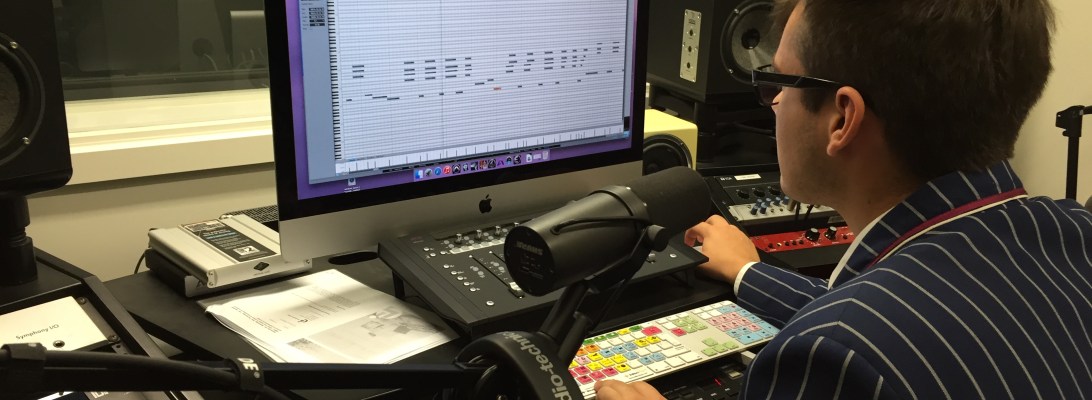
  • She will also produce a recording/sequence of her piece of music using knowledge she’s developed using Presonus Studio One and/or Reaper.
  • If we take this further, she may even perform one or two of her arrangements in a performance evening for solo or group performance (but this is less likely as she has plenty of material to use from her singing lessons).

So, from this one task which she is hugely motivated to achieve will result in the following NCEA credits:

  • 3.10 Research standard – 6 credits
  • 3.9 Arranging standard – 4 credits
  • 23730 sequencing and notation standard – 8 credits
  • TOTAL – 18 credits

If you add her solo and group performance Standards of 12 credits she has a course of 30 credits, which is plenty!  If she was doing the 28007 (SOND 3) recording standard, which could easily be incorporated if she had the time to do the learning for it, she would have another 6 credits.

If you’d like to follow her progress as she works through this project you can follow her blog here:

https://musicnotes97.wordpress.com

Thanks, Duncan 🙂
Apple Distinguished Educator

I’m delighted to let you know I’ve just been selected as an Apple Distinguished Educator.

“The Apple Distinguished Educator (ADE) Program began in 1994, when Apple recognized K-12 and higher education pioneers who are using a variety of Apple products to transform teaching and learning in powerful ways. Today it has grown into a worldwide community of over 2,000 visionary educators and innovative leaders who are doing amazing things with Apple technology in and out of the classroom. Apple is pleased to welcome Duncan Ferguson to the ADE Class of 2015.  Learn more about this group of innovative educators online at http://www.apple.com/education/apple-distinguished-educator .”

I’ll be sure to pass on anything relating to Music Technology education that I get out of this community on this blog.

Thanks, Duncan 🙂
Project Based Learning in music – part 2

This year with my year 13 music students we are deciding to make a point of not focusing on assessment as being the driver of learning in class (as it should never be but is rarely the case in most NZ schools).  Therefore we are deciding to focus on projects our students can complete through the year.  Projects such as making an album, composing for student films, making music videos. You can see details of my holiday planning for this course here.

We are now nearing the end of term one, and what a busy term its been.  But what is hugely satisfying is that the majority of my class are loving the projects they’re working on and making great progress.  It should be noted that not all students in year 13 music have decided to have a project as a major focus.  They’re quite happy completing the tasks and learning as required by NCEA and that’s great. So, what has this PBL thing looked like this year?  Well, a bit like this:


We started the year spending quite a bit of time searching for inspiration and listing the interests and skill sets of the students.  I’m very big on collaboration and I want the students to help each other out as much as possible.  To keep our ideas and skills at the forefront of what we do we created an Inspiration Wall where students pin up interesting musical related images and text as well as list their outline of their project.

Students have also setup WordPress blogs where they keep a diary of what they’ve found interesting in class and on field trips. Every time we do something in class, or they do some work, they’re expected to document their progress on their blogs. You can see some of them here:

https://jamesmurraymusic.wordpress.com

https://blipblipbang.wordpress.com

https://gusellerm.wordpress.com

https://maxmusic42.wordpress.com

Reading through the blogs you can see we’ve done a few things to focus the students on the craft they need to develop to realise the art they want to produce.  These have been:

  • Guest presenter – Luke Di Somma (local conductor, producer, arranger, composer, MD, etc).  The students were very inspired by chatting to Luke and he dealt with issues such as: where he finds creativity, how he manages his ‘business’, what motivates him, what is required to ‘make it’ in the music industry, etc
  • Visit to local studios and tertiary providers – as recording and technology is a big part of the students’ projects we visited MAINZ and had a great presentation from Ivan Shevchuk.
  • Watching music production tutorials from AVID doing our own mix of the tracks shown in the video.

For the rest of the term we’ve been largely focusing on getting the first part of their projects completed.  This has involved teaching them about how to use our recording equipment and how to mix.  There has been a lot of one-on-one instruction about crafting their compositions and arrangements.  At this stage, we’re just trying to record demo’s of everything as it’s unrealistic of them to produce good quality recordings in term 1 when they have so much learning to do around music production.  It will mean a lot of recording and mixing in term 3 and 4 so we’ll see how we go…

To assist with their learning about recording and mixing we’re going to start a course in mixing through Weathervane music.  Their Instructors Toolkit looks like it could be a great syllabus to work into our music course to advance their music production skills.  I’ll do a separate blog on this once I start using it with my students.

Where to from here…

Well, we’ll need to refocus on what it means to be creative and to make great Art.  We’ve spent quite a while focusing on their craft and finishing the first aspect of their projects, so we need to redress the balance and get focusing on what they are trying to achieve with their project by the end of the year. We’ll get more industry professionals in to talk to us and will visit local producers who can demonstrate their workflow and assist with the discussion around where to find inspiration. Students need to do a stocktake of all they’ve accomplished this term and now that they know what they’re in for need to come up with specific goals that must be achieved in term 2.

We’ll also be joining with the year 13 media class to provide the music for their original short films they’re creating.  This is very exciting and as we’re well setup at St. Andrew’s College with movie composition tools and equipment I’m expecting to see some very professional looking/sounding films in the StAC Film Festival this year.

A new recording studio

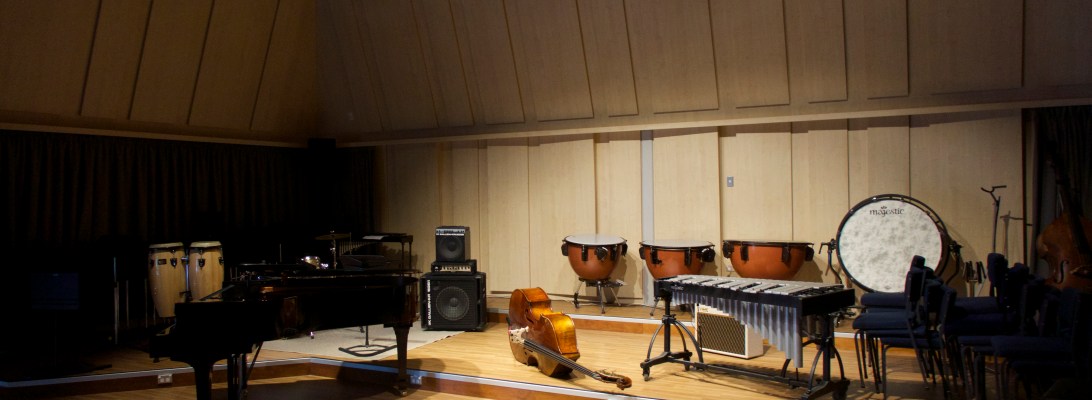
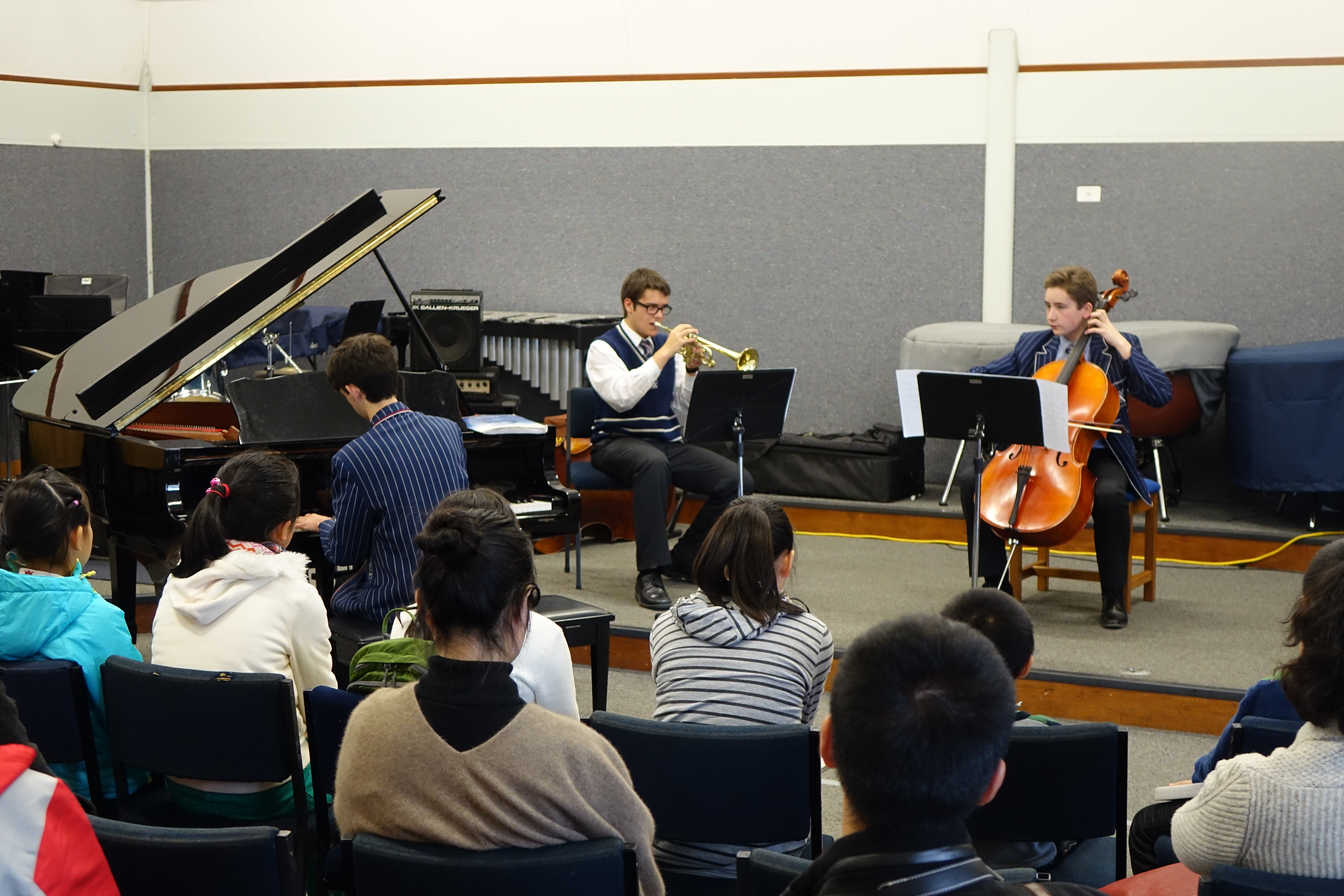
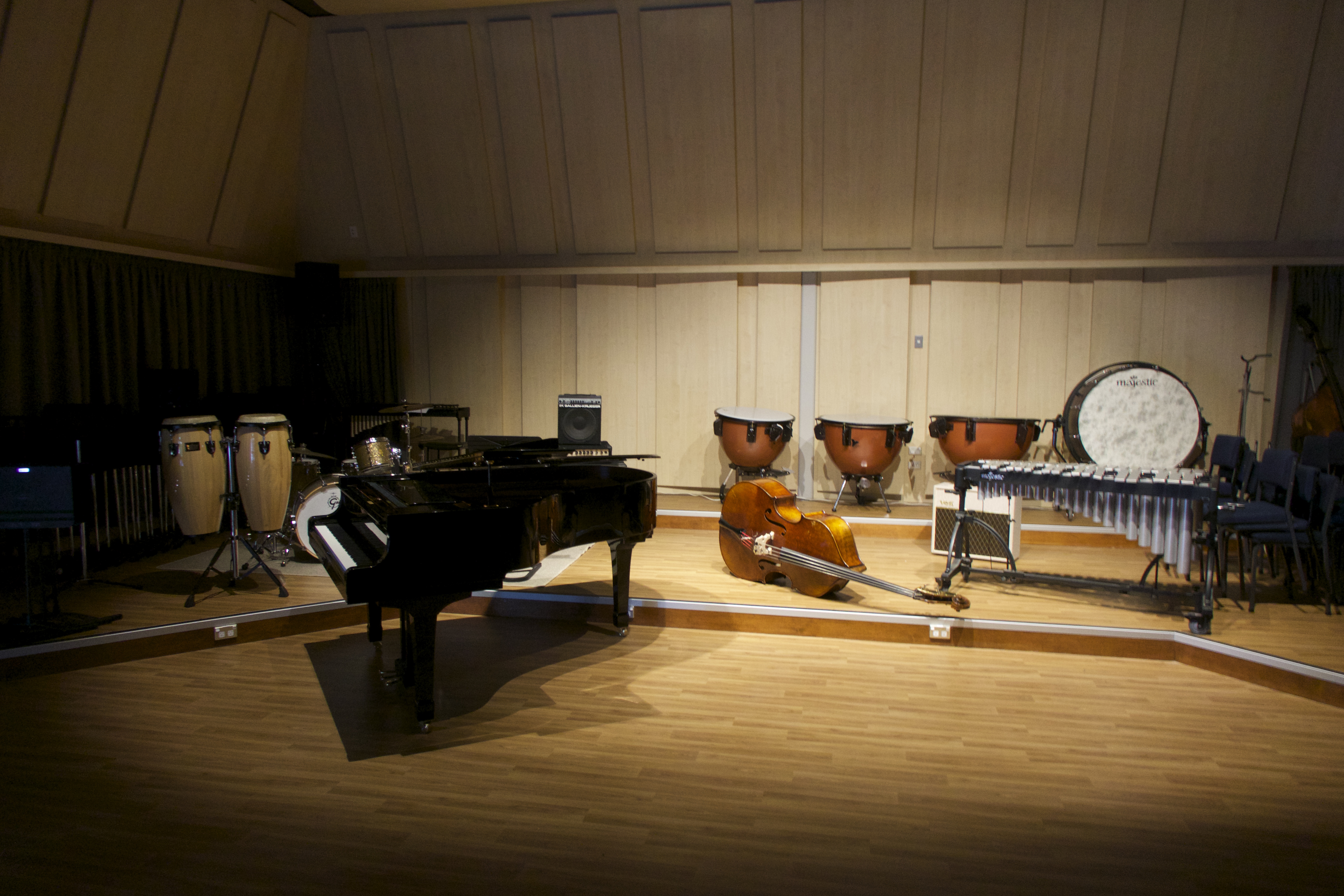
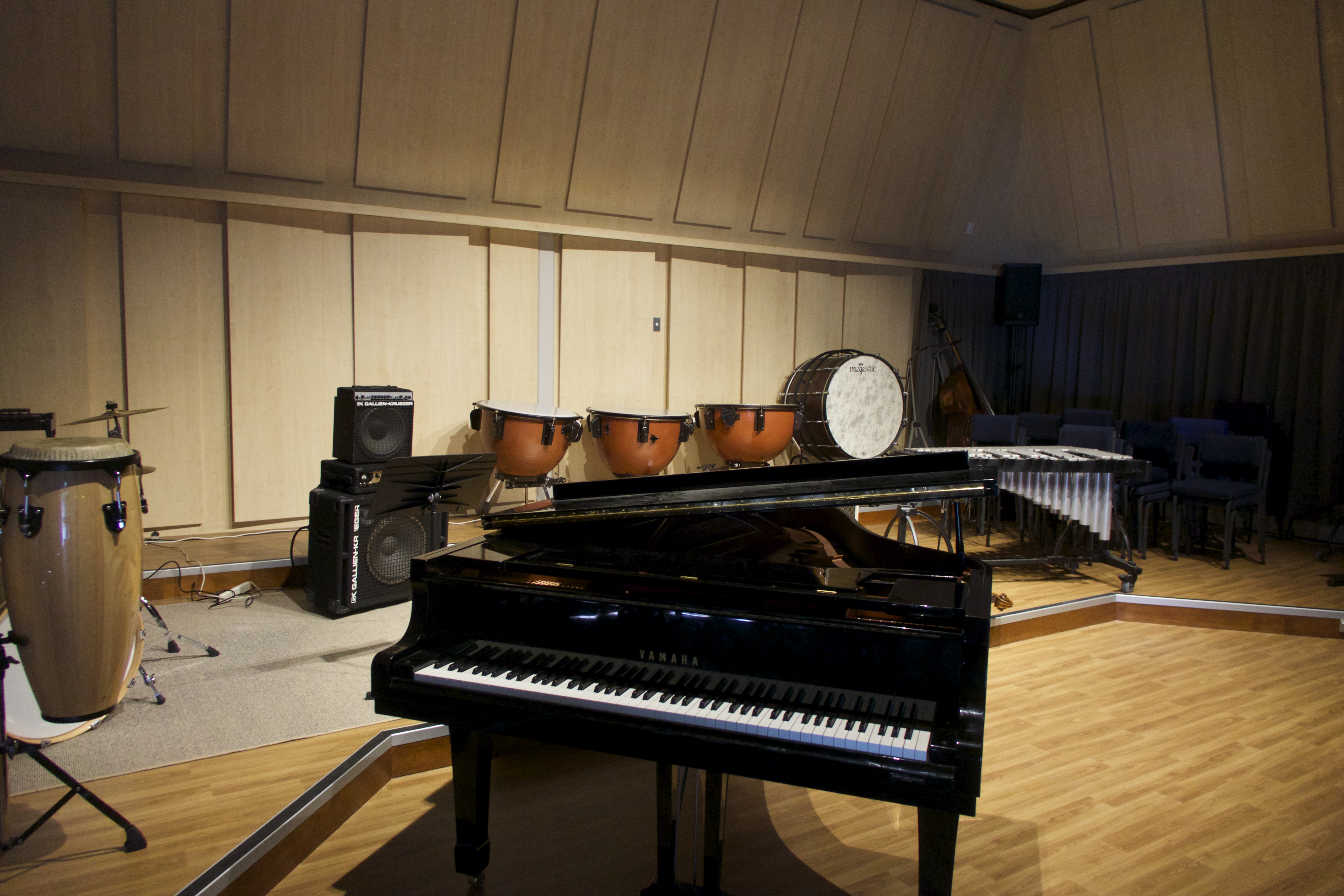
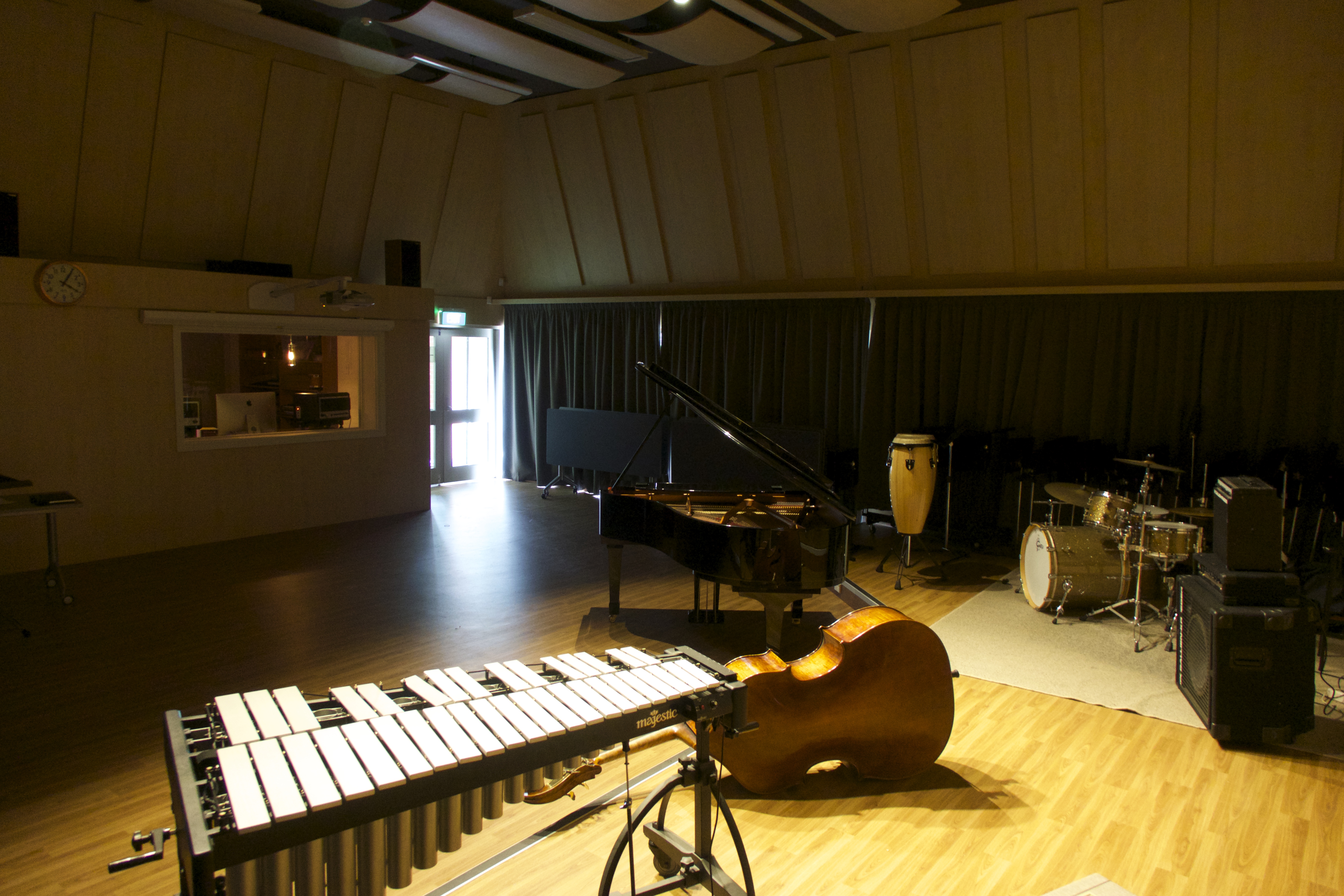
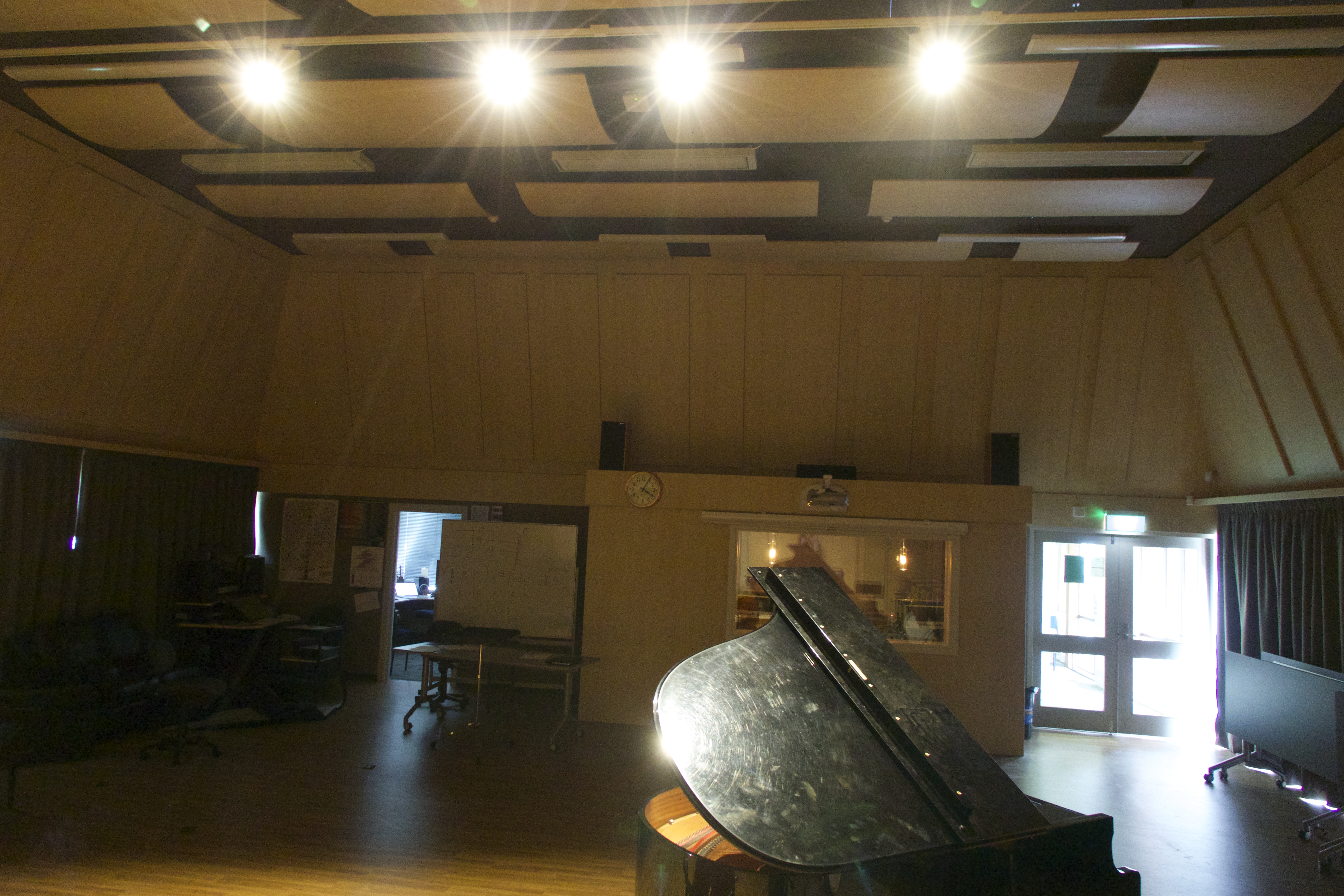
Over the last few months I have been involved with the design and rebuild of my music room to create a world class rehearsal, performance and recording space.

We have gone from a very drab looking room that looked like this:

DSC03750

DSC03749

To a fabulous room that looks like this:

DSC05266 DSC05264

DSC05282 DSC05280

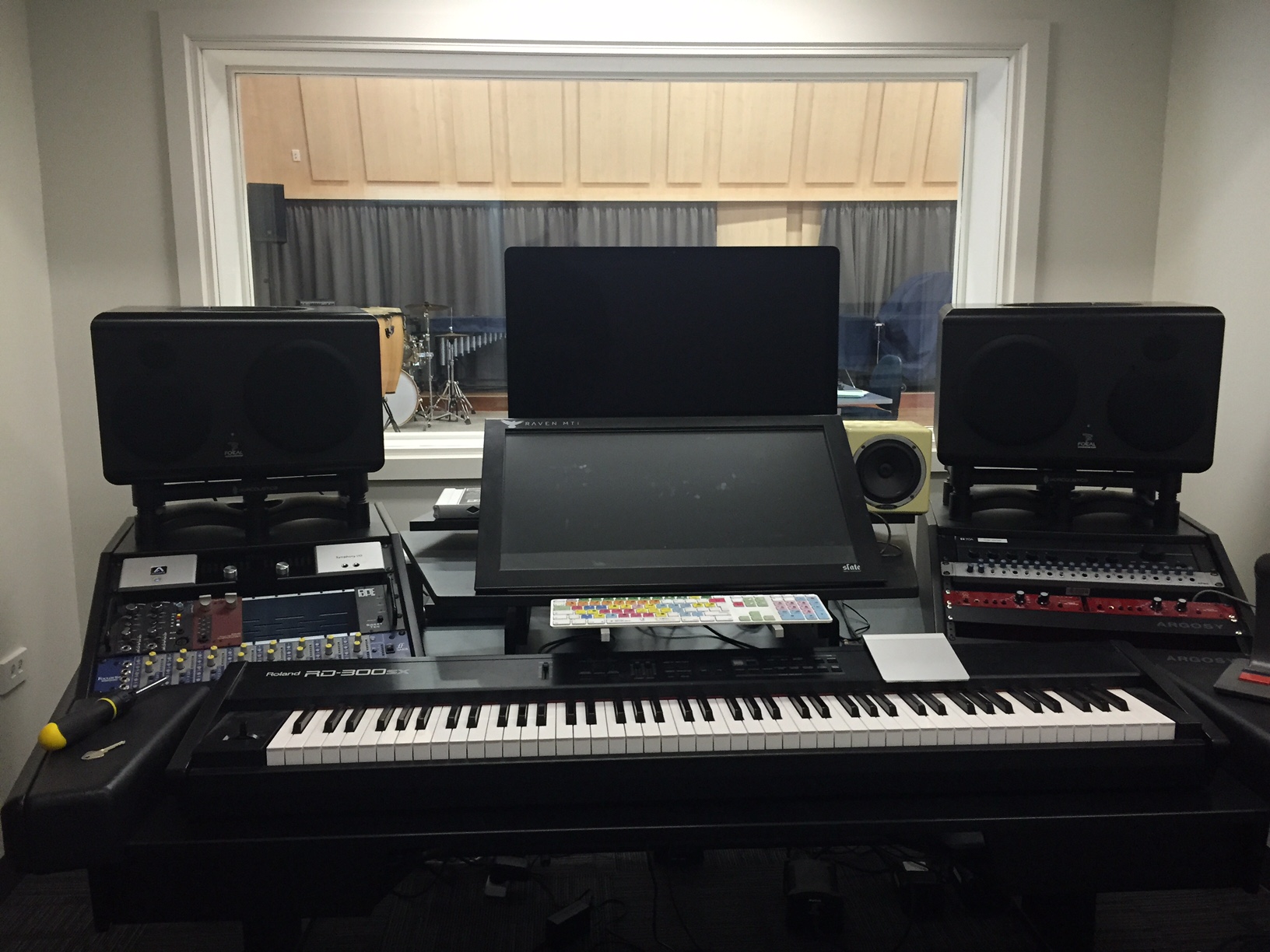
As part of the rebuild we have transformed a storage room full of old music (which I have scanned and made available to students through Dropbox) into a control room full of top quality recording equipment.

DSC05273 DSC05270 DSC05259 DSC05256

(and yes, the couches are necessary!).

I will post more details in future posts about the equipment we have, who we employed to do the acoustics design and issues we had to work through for any other music teachers looking to do a rebuild/new build any time soon.

You can see photos of the construction process at the music department Facebook page.

Thanks,

Duncan

Suspect: The Murder Mystery Musical

At the moment there are many people involved with the #28daysofwriting and I’m full of admiration for them! I’m struggling to keep up with one blog post per week. To be fair in my defence in the last week I have just setup a full music block and recording studio after the completion of our music dept building programme. I’ll do a full blog about that soon as I’m sure other teachers will find it fascinating how we’ve created what I think is one of the finest recording studios of any school in New Zealand (and even the world!).

So for my blog this week I thought I’d just send you to an excellent blog written by the director of IT at St. Andrew’s College, Sam McNeill. In this blog Sam interviewed me and we discussed all the different processes and pieces of technology that we used in the creation and production of a musical written by a year 13 student of mine, Isaac Shatford.

Setting up a high school recording studio

On workshops I’m often asked to give an opinion about a certain piece of recording or live PA equipment.  There is so much choice at so many price points that it can be really hard to figure out what is best for your school and your students.

If you’re reasonably comfortable in the world of music technology then my advice would be to read lots of reviews from websites like Sound on Sound, visit other schools, visit studios and talk to a range of sales people in a range of shops.  Never take just one person’s advice (including my own!).

The more you become informed of the options the better position you’ll be in to make smart purchases.

If you’re not overly confident with the world of music technology and just want someone to tell you what to do, here is my advice based on what I’ve found what has worked for me…

Microphones

  • 3 or 4 Shure SM57‘s – the industry standard mic for recording guitar amps, snare drums (as well as tom’s) and can also work great for loud brass instruments.  The most important thing about them for a high school situation is that they’re pretty much indestructible (well, I’ve never had one break on me despite some rough treatment).  If you can only afford a couple of mic’s – just get a pair of these, they even work well on vocals (although you might like to consider an SM58 for these).
  • AT4050 Condenser mic – it’s good to have one good quality condenser mic for recording voice, solo acoustic instruments, etc.  Get a pair of them and you can make great stereo recordings of choirs and orchestras.  There are many comparable condenser microphones from other manufacturers (AKG 414’s are a popular choice) but I love my AT-4050’s.
  • A pair of Neumann KM184‘s – great for over the top of drums, grand pianos, violins, recording ensembles, etc

Recording Interface

There are a huge range of interfaces available now.  If you want one that can double as a mixing desk for a live PA system then I’ve found the Presonus Studio Live desks excellent.  I’m particularly fascinated with their new RM mixer series which only has mic inputs and is controlled from an iPad or touch screen computer.

However, if you want something more ‘pro’ in terms of the preamps and analogue-to-digital conversion (i.e. better sound) then my pick would be the newly updated Apogee Ensemble.  I have the older Ensemble and it’s fantastic (for my studio I also use the Symphony but that is probably out of the budget range of most high school departments).

https://www.youtube.com/watch?v=rM7eLk3ZY1U

Recording software

See my previous posts here and here where I discuss what is the best Digital Audio Workstation (DAW) for high schools.

Speakers/Studio Monitors

In the past I’ve had Tannoy Reveal’s, Behringer Truth’s and Mackie HR824’s.  But I’ve never really been happy with any of them. Don’t get me wrong, for a high school situation they’re fine.  They were durable and gave a big sound.  But all of them suffered from not being overly ‘even’ across the frequency range – usually too bassy.

So I consider myself very fortunate to now have Focal SM9‘s, but these cost crazy money.

But… based on reviews I’ve read recently I’d say some of the best monitors at reasonable prices would have to be the Presonus Sceptre’s or any of the mid-priced options from Focal, Adam, KRK or JBL.

IMG_0778

Of course you’ll also need things like cables, mic stands, speaker stands so don’t forget to allow budget for those.

Where do I purchase all this from?  Well, I like to support local stores but online the best website I come back to time and again is Sweetwater.com.  Their service has been faultless.  The other store that has given me great service and good educational discounts is Vintage King (if you ever get the change to visit their LA store make sure you do, it’s amazing).

Audio equipment preferences can be very personal so I do encourage you to do your research.  Don’t get too hung up on reading forums like Gearslutz (too many contrary opinions there!).  The best thing to do is to find other schools that are into music technology and visit them to find out what works.

What is the best DAW for schools? Continued…

A few weeks ago I wrote a blog post saying why I think Presonus Studio One Free is the best DAW (recording software) for high school teachers and students to use.

Well… such is the ever-changing nature of technology that I’m having to possibly change my mind.

In the last few hours at NAMM Avid has announced a new piece of software as part of their Pro Tools range, Pro Tools First.

Pro Tools is the industry standard DAW – everyone uses it.  But I advised against using it in schools as it was always too expensive, even the ‘student’ version.  What is different about Pro Tools First though is that it is FREE!  It will have limitations (such as only being able to have 16 audio tracks and can only record up to four at once, which may make it difficult recording drums in some circumstances) but it will do pretty much everything students will need of it.

It has software instruments for using MIDI, plugins such as EQ, Compression, Reverb, Delay, etc and many of the same recording, editing and mixing features as the pro version of Pro Tools.

It has not been released yet but as soon as it has I’ll do a full review of it and how useful it will be to high school teachers and students.

For my New Zealand customers it is likely I’ll produce new tutorial videos and documents for my MUSTEC 27656 and 27658 Unit Standard resources based on this new software (these will be available as a free update).

If you’re a teacher who has been using Studio One Free don’t feel you have to change to anything else.  If it works for you and it helps your students to learn how to record and mix keep using it.  Just because a new piece of software has been released doesn’t mean Studio One has become any less capable.

Probably the main reason I’m excited about this is that it brings back memories of using PT Free back in the early 2000’s on a class set of Windows 98 computers.  That was a great solution for teaching but as Digidesign never updated it for Windows XP or OSX I’ve always been looking for other solutions.

So… I’ll keep you posted on this potentially exciting development for teaching recording and mixing in schools.

Duncan

Project Based Learning in Music

This year my year 13 music class is going to focus less on assessment and more on developing the craft to produce great art.

The focus for my students will be on choosing a project that will be the focus of their year’s work… Project Based Learning. They will come up with a project that interests them but it may be something like:

  • Making an EP or CD
  • Recording a series of concerts and posting them to YouTube
  • Composing and recording the music for a film in the 48 hour film festival.
  • Or anything else they can think of.

As I go through the year I’m going to document the progress of my students so other teachers will be able to see the process in action and decide if this method of teaching and learning is right for their students.

Summertime preplanning

Over the last 12 years I’ve been running a business (www.learningideas.co.nz) in which I develop resources specifically for the NZ music education system. All of these resources I’ve developed with little input from others, and while I’m very happy with what I’ve produced (as are most of my customers) I’ve always seen areas where they could be improved. It’s occurred to me many times that if I collaborated more with others, then my resources would be of far higher quality.

The most important qualities I hope to develop in my students are a spirit of innovation and collaboration. I see these as far more important than developing any specific musical knowledge or skills. Therefore, it makes great sense that as I seek to develop a PBL course for my students I collaborate with someone highly skilled, and in doing so become a good model for my students.

I’m incredibly fortunate to have the highly knowledgeable, skilled and experienced Ginnie Thorner (@ginippi) help with me the development of this course.

This is my first piece of advice to other teachers wanting to develop a PBL course for their students. Find someone in your school who is like-minded and is willing to kick around ideas.

Where I’ve got so far…

The biggest concern I have with PBL is making sure that my students are motivated and focused right throughout the year, particularly during their busy periods in term 3 and 4. So to make sure they are inspired, choose their project well and come up with a realistic and effective timeline of work for the year I need to make sure I plan the first 2-3 weeks very carefully.

The following are what we are going to attempt at the start of the year before they start working on their projects:

  • Organise ‘creative’ industry professionals to come in and talk to the students – it doesn’t really matter what part of the music industry these people will come from. What is important is they are actively working in the industry and can share with my students about their successes and failures, challenges and where they get their inspiration.
  • Visit local theatres, studios and galleries – take the students on a field trip into the city where art (not necessarily just music) is being created. Try to expand their horizons for the possibility of what they can do for their project.
  • Have each student setup a blog – for every visitor and field trip students will need to document their reflections. They will be required to write in their blog every week, providing evidence of their learning and progress.  At our school this year we are increasing our use of Microsoft OneNote and Evernote so these may be good alternatives to maintaining a blog.
  • Create an ‘Inspiration Wall’ – we’ll setup a physical wall in our classroom where students are required to post anything they find inspiration from. It could be magazine articles, posters, art, etc. We may also setup an online version on our class Moodle page for sharing YouTube clips. Students will also post what they are up to, what they are trying to do, what their challenges are, etc. It’s really important students inspire each other and know where each other is at so they can collaborate and assist each other.
  • Setup a timeline for reviews and progress reports – at this stage we’re setting up eight dates throughout the year that students must report back to me about their progress. In preparation for their interviews they need to do blog posts along the following lines (thanks @ginippi for this list):

Post 1 – My plan. What I think I might do.

                       Why did you choose this?

                       What is most exciting about this project?

                       What are you looking forward to?

Post 2 – Progress after 4 weeks

                       First steps.

What have you done?

What needs to be done?

Has the project idea changed / why or why not.

                       One person that has inspired me ….

Post 3 – These holidays I am going to …

                       OR… I am so brilliant – look what I have done.

Post 4 – Half way there.

                       My most urgent task is to …

                       What I am finding frustrating is

                       At check in I agreed to 

Post 5 – One term to go….

                       These holidays I will …

                       Why did I agree to this?

                       The person who I am grateful to is…    

Post 6 – What I did in my holidays

Post 7  Nearly there. So much to do.

                       Biggest concerns / pressures at the moment

Post 8  I am most proud of

                       What I hope the “audience” notice

                       My best advice to someone doing this is …

                       What have I learnt about: music, creative projects, myself as a contributor to the work, etc

  • Setup a course of learning about recording and mixing – as the majority of this particular class will be wanting to use technology in some way I will be getting them to complete a mixing course from Weathervane Music (in addition to using my own workbooks from learningideas.co.nz)

What next?

I’m now a week or so away from seeing students. I’m aware of making sure I don’t ‘over-plan’ as I know that once I start working with students things will change (although this could be me being lazy!). I think this will need to be a fluid process and I need to be adaptable to student and project requirements.

Hopefully for my next blog on this topic I’ll be able to report back about what projects students have chosen and how our planning for the year is going.

How to mix… a guide for high school teachers – part two

In my last blog post I demonstrated a good starting point for teaching students how to mix.

After six weeks or so of having my students mixing using only faders, panning and EQ (on a few projects) I then start to discuss the overall picture of the mix process.  Advanced students would be required to purchase the excellent Mike Senior book on mixing on Kindle in addition to reading other articles online and visiting blog posts like soundscoop (and a multitude of others).

Many recording equipment manufacturers like Universal Audio, AVID, Presonus and many others also offer excellent mixing tutorials and students are encouraged to complete as many of these as possible.  However, while we all have some motivated and diligent students, we’re always going to have several that need a little more ‘spoon-feeding’ (which of course we always try to ‘wean’ them off as good parents/teachers should!).  It would be great if all students went to these websites and started teaching themselves (which undoubtedly some students will) but for others I’ve done a few guides that may help.

NZ Music Technology teachers will be familiar with my resources from http://www.learningideas.co.nz and these are excellent guides specifically tailored to the NZQA assessment system.  A resource I wrote several years ago (which was hugely influenced by the excellent book The Mixing Engineers Handbook by Bobby Owsinski from Mix Books) which I gave away free to NZ teachers can be downloaded here. It basically goes through the stages of mixing and can be summed up like this (but keep in mind there is no one way to mix as every mix and mixing engineer is different – but this is good for newbies):

  1. Balance the faders
  2. Pan the tracks to create a stereo image (although some engineers, particularly if mixing for a live PA system will choose to mix in mono for various reasons)
  3. Use EQ to give each instrument it’s own space in the overall frequency range of the track.  You can think of it like this:
    Screen Shot 2015-01-10 at 9.32.40 am
    (I got this image off the http://www.harmonycentral.com website many years ago and have not been able to find the page for it again so sorry I’m unable to give proper credit to the person that created it).
  4. Use compression on some instruments to reduce the dynamic range to create a more stable volume balance between the instruments (but in many instances it’s more appropriate to use compression before EQ, or before and after, or use multiple compressors… it gets quite complicated really!)
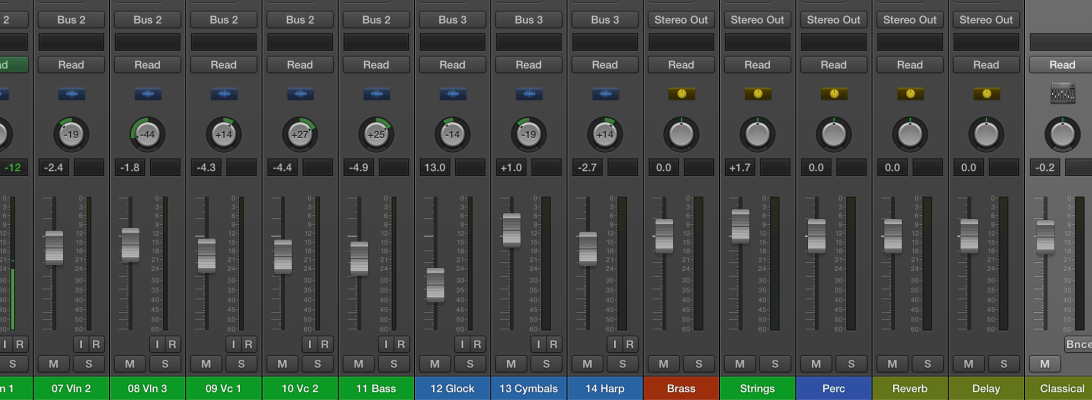
  5. Add ambience with reverb and/or delay.  Note, it’s best to try and get this naturally by recording in a very nice room with good acoustics.  But if this isn’t possible then record the tracks as ‘dry’ as possible and add ambience in your DAW.
  6. Add interest.  All of the above just serves the purpose of making sure you can achieve a stable balance and hear everything.  But it may not make the mix very interesting.  So here you do whatever you need to make the mix dynamic, exciting, original – this is where you attempt to create a piece of great art!  I’ll try to do a blog post dedicated to this point in future weeks.

I’ve done a video for my students and NZ teachers who are teaching the level 2 27703  unit standard, showing how to do a basic mix in a live setting.  Here I’m using a Presonus Studio Live mixing desk and have the audio tracks streaming from my laptop to the mixing desk (rather than having a live band in the room).  I find this mixing desk a great tool for teaching live mixing to my students but all the concepts I discuss in the video are equally applicable to mixing in a studio/DAW environment.

This video has worked well for my students who may not have followed my in-class demos and may be too nervous to ask questions in front of others as they’re able to replay parts they don’t quite understand.  It serves a good way of filling in the gaps for them.

Please note, the tracks from this video were downloaded from the excellent Sound on Sound magazine website.

In another blog post I’ll go into detail about my assessment processes for mixing with my senior students.  Students can’t just do a mix – they have to be able to articulate all their mix decisions and why they made them.

Thanks,

Duncan